The plan ignores the calendar
You plan six hours of work into a day that already holds five hours of meetings, then feel behind by eleven.
Daily planning that respects your calendar
For people whose calendar is already full: Solid Hours reads the calendar you keep, lays your tasks into the gaps it actually leaves, and tells you plainly what will not fit.
Free for your first month. No card to start, and your data leaves with you.
Pricing, in one line
One plan with everything in it — no tiers, no per-feature upsell, no seat maths. Start free for a month without handing over a card, and if it has not earned a place in your morning by then, leave and take your data with you.
Motion
$34/mo
$408 a year
Sunsama
$20/mo
$240 a year
Solid Hours
$8/mo
$80 a year — two months off
Competitor prices are list prices for monthly billing at the time of writing. Billing is not switched on yet — early accounts keep working and will be told well before anything is ever charged. AI features are included; they run on the instance you are using.
You plan six hours of work into a day that already holds five hours of meetings, then feel behind by eleven.
Half an hour of dragging cards around, every day, to produce a schedule that one moved meeting destroys.
Six ten-minute fragments and one two-hour block both report as two hours. Only one of them was work.
Before
After
By voice, by typing, or in plain language — “yarın 45 dakika faturalandırmayı bitir, öncelikli” becomes a task with a date, an estimate and a priority.
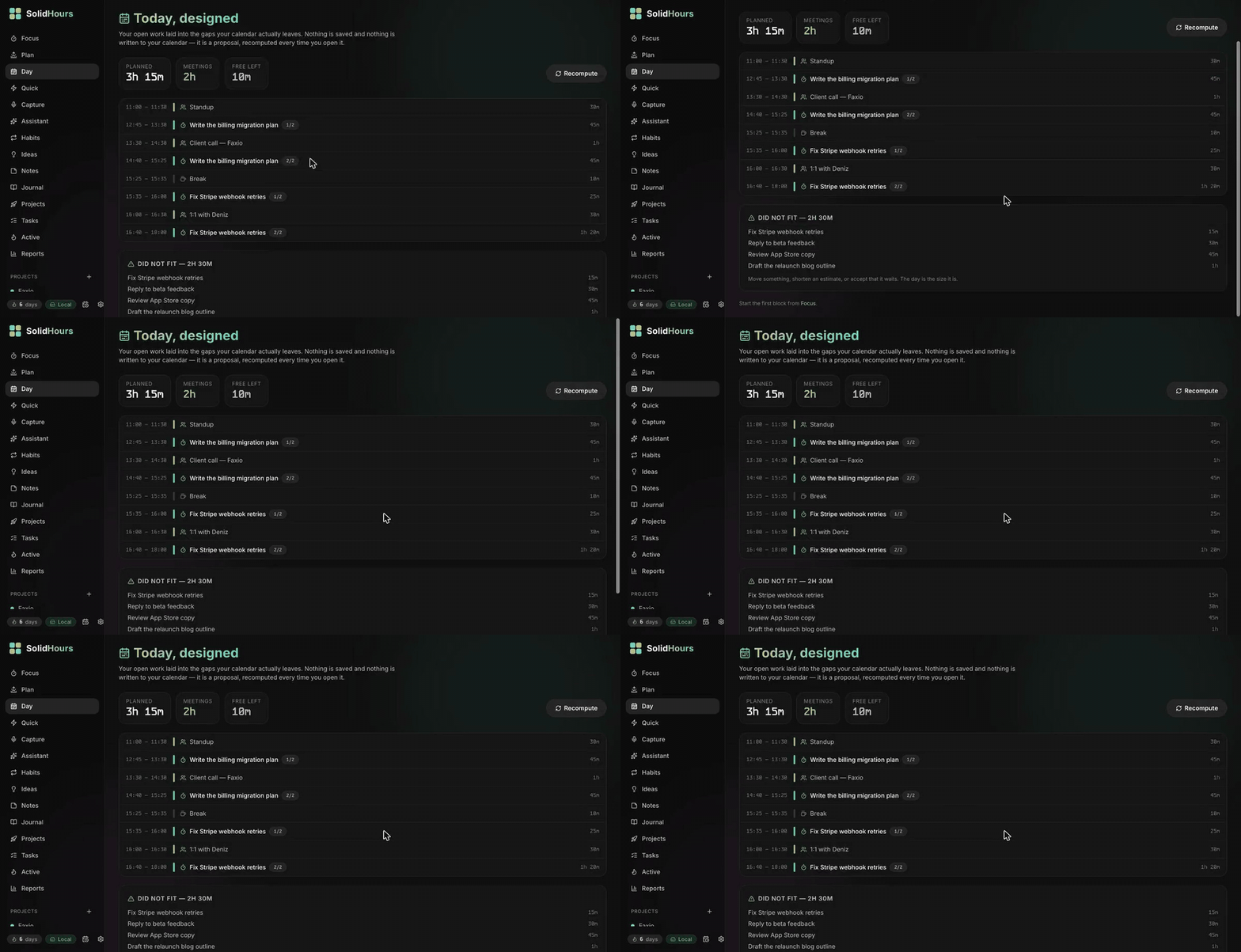
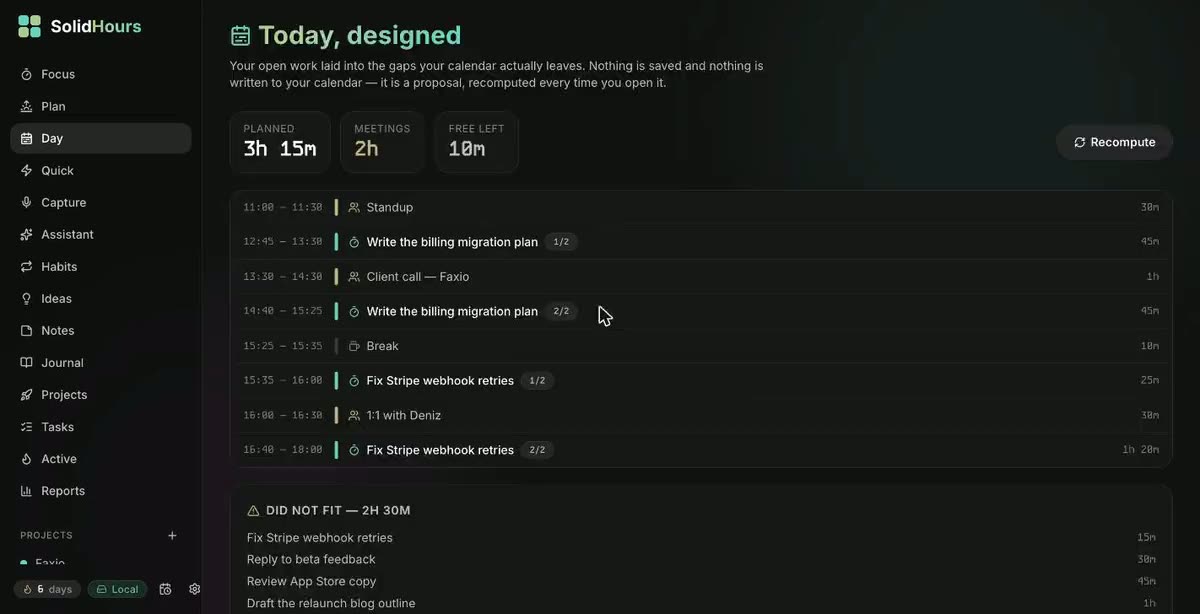
Your calendars are subtracted from the working day and what remains is filled in priority order: 90-minute blocks, breaks between them, ten minutes left after every meeting.
Whatever does not fit comes back with the shortfall stated, and the day is scored against the time you actually had. A planner that hides the overflow is only a nicer way to feel behind.
Pick a few tasks and see them laid into a real calendar. Nothing is saved, nothing is sent anywhere, no account needed.
Today’s tasks
Tick a few and watch the day rebuild.
Already booked
Recomputed on every load. Never stored, never written back to your calendar.
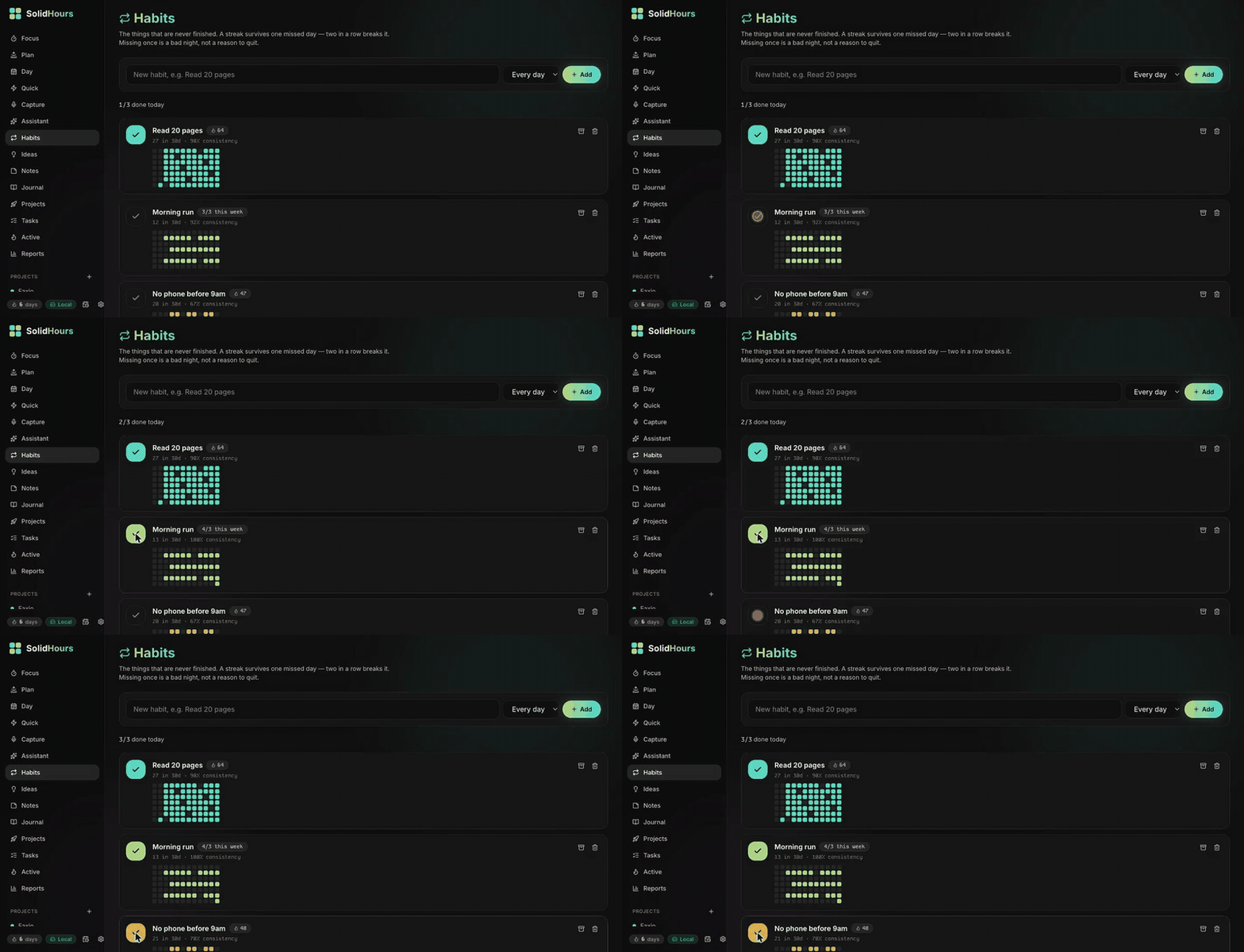
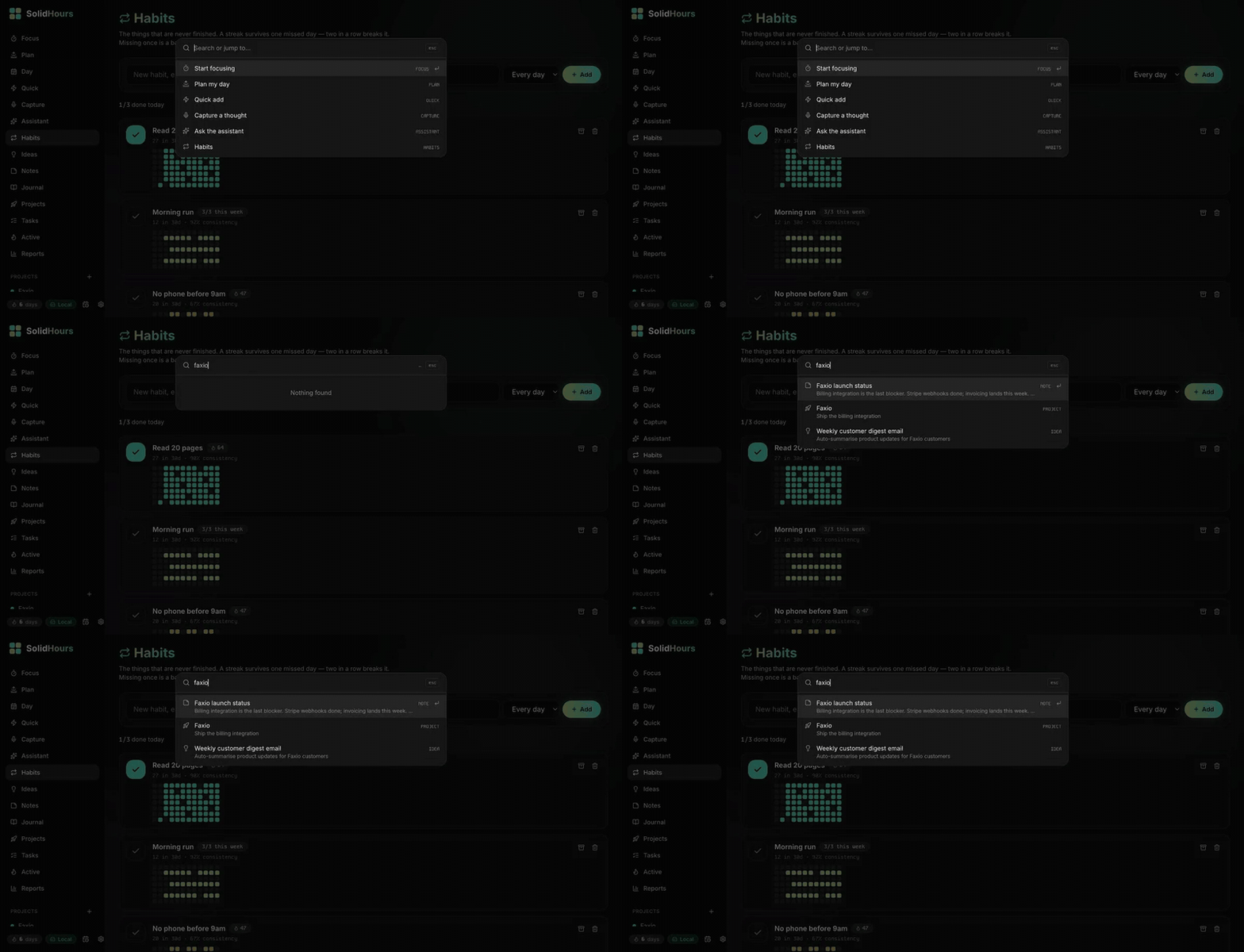
Same story as the recording at the top: screen captures of the app running on real data — not mockups, not motion design.
A month free. No card to start.
Open the day and the first block is already chosen — overdue first, then priority, then whatever finishes fastest.
The plan is capped by real available minutes, so an impossible day becomes impossible to commit to by accident.
Work arrives in 90-minute stretches with breaks between, not as twelve fragments wedged between calls.
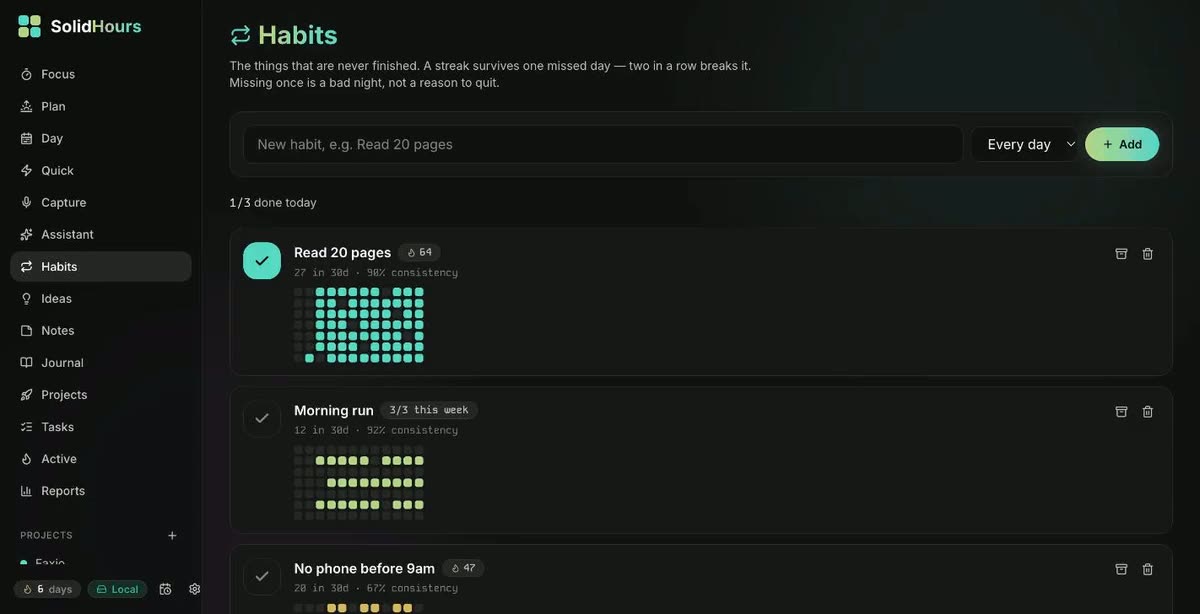
Habit streaks survive a missed day and break on two, so the counter stays a reason to return.
Which weekday carries you, what a meeting-heavy day really costs, whether starting early changes anything — with the sample size shown.
| Capability | To-do list | Calendar | Solid Hours |
|---|---|---|---|
| Holds your tasks | Yes | Awkwardly | Yes |
| Knows when you are free | No | Yes | Yes |
| Builds a realistic day | No | By hand | Automatic |
| Says what will not fit | No | No | Always |
| Measures the shape of the work | No | No | Yes |
| Habits, journal and patterns | Sometimes | No | Yes |
| Leaves with you — one export, no lock-in | Varies | Varies | Yes |
Solid Hours is not a startup with a growth chart. It is one person’s daily system, built because the alternatives measured the wrong thing, and kept honest by being used every single day. Rather than borrow credibility, here is the evidence that exists.
Every clip on this page is the real app on real data, captured in one take. Nothing here is a rendered mockup of a feature that does not exist.
Volume 40, depth 35, completion 15, accuracy 10 — printed in the app next to the number. You can recompute your score by hand and get the same answer.
An insight needs at least five days on each side and a 1.25× effect before it will say anything, and it always shows the sample it used.
This page loads no analytics, no fonts from a CDN and no third-party scripts at all. Open the network tab and count the domains.
No user counts, no star ratings, no borrowed logos, no “as seen in”. When real people have used it and agreed to be quoted, their words appear here under their own names.
Subscribe to as many calendars as you have identities. Read-only, always — Solid Hours never writes an event, moves a meeting, or asks your colleagues for access.
Everything you put in lives in a single SQLite file, and one export hands you the whole of it — not a partial CSV, the actual database. There is no lock-in to engineer your way out of and no analytics to opt out of, because there are none.
Nothing you write is ever used to train a model. Calendar access is read-only — no event is created, moved or deleted — and calendar addresses are encrypted before they are stored. This page makes no third-party requests either.
Exactly what the hosted instance stores, and who else sees itThe planner is the reason to start. This is what is waiting once you do.
Volume, depth, completion and estimate accuracy, each with its weight on screen. Deterministic — the same day always scores the same.
A timer that tracks estimate against actual, so you learn how wrong you are and in which direction. Streaks and a year-long heatmap.
Five hours of meetings does not mean you failed at focus. A packed day reads as full, not failed.
A streak survives one missed day and breaks on two. Weekly habits are judged per week, not per day.
A journal prompt that stays the same however often you reload, mood and energy, and this date from previous years.
Every finding compares two groups of real days and stays quiet when the evidence is thin. No model involved, so nothing can be invented.
Priorities, estimates, subtasks and a kanban board. A repeating task creates exactly one successor when you finish it.
Projects scored by impact, confidence and effort, with blockers and people. Notes with images and a secret flag.
An attendee is matched to a contact, the contact to a project — so a call about Faxio counts as Faxio time.
A question in any language, answered only from your own notes and tasks, with citations you can click.
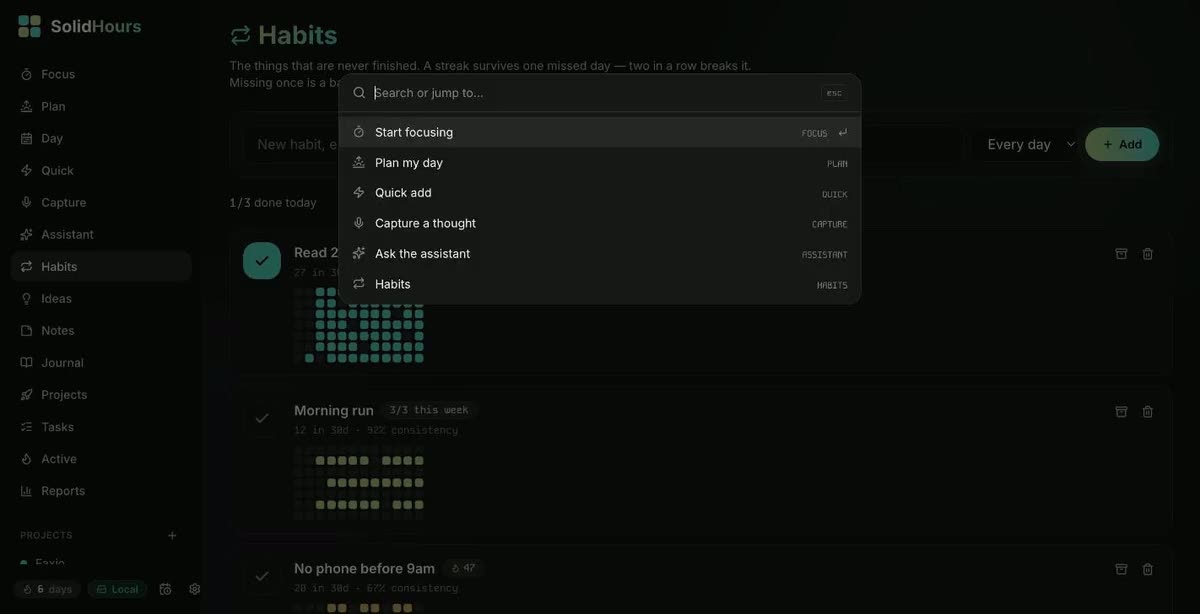
Cmd-K searches everything and jumps anywhere — and works with the AI layer switched off entirely.
Morning briefing and Monday review, aware of meeting load and mood, so a full calendar is named rather than implied to be laziness.
$8 a month, or $80 a year. One plan, everything included, and the first month free without a card. The price is set where it can stay: it covers the server, the email and the AI your account actually uses, so there is no reason to raise it once you depend on it.
The AI features are included rather than billed separately. Billing is not switched on yet — accounts created now keep working and will be given notice well before anything is charged.
A to-do list tells you what is outstanding. Solid Hours tells you what fits today, in what order, around the meetings you already have — and what will not fit at all.
No. It reads your calendar and never writes to it. Your meetings stay exactly where your colleagues expect them.
No. Subscribe your calendars, add today’s tasks, and you have a plan. Projects, habits and the journal are there when you want them.
Reopen the day and the plan is rebuilt from the current calendar. It is recomputed, never stored, so it cannot go stale.
No. The AI features send only the text needed to answer the request you made, and that text is never used to train anything. With the AI features unused, nothing goes to an AI provider at all.
$8 a month, or $80 a year, with everything included — there is only one plan. The first month is free and does not ask for a card. Billing is not switched on yet, so accounts created now keep working and will get notice well before anything is charged.
It is used daily and covered by an automated test suite, but it is one person’s system rather than a company’s product. Expect sharp edges, and expect them to be fixed quickly.
Build your first realistic day in about two minutes.
Free for your first month. No card to start, and your data leaves with you.
First month free. Then $8 — under a quarter of what the nearest alternative bills.
Start my free month